Shopify appsApp Store listing
DS Multistore Product Upload icon

Digiware Solutions

DS Multistore Product Upload

Transfer products between Shopify stores in one click.

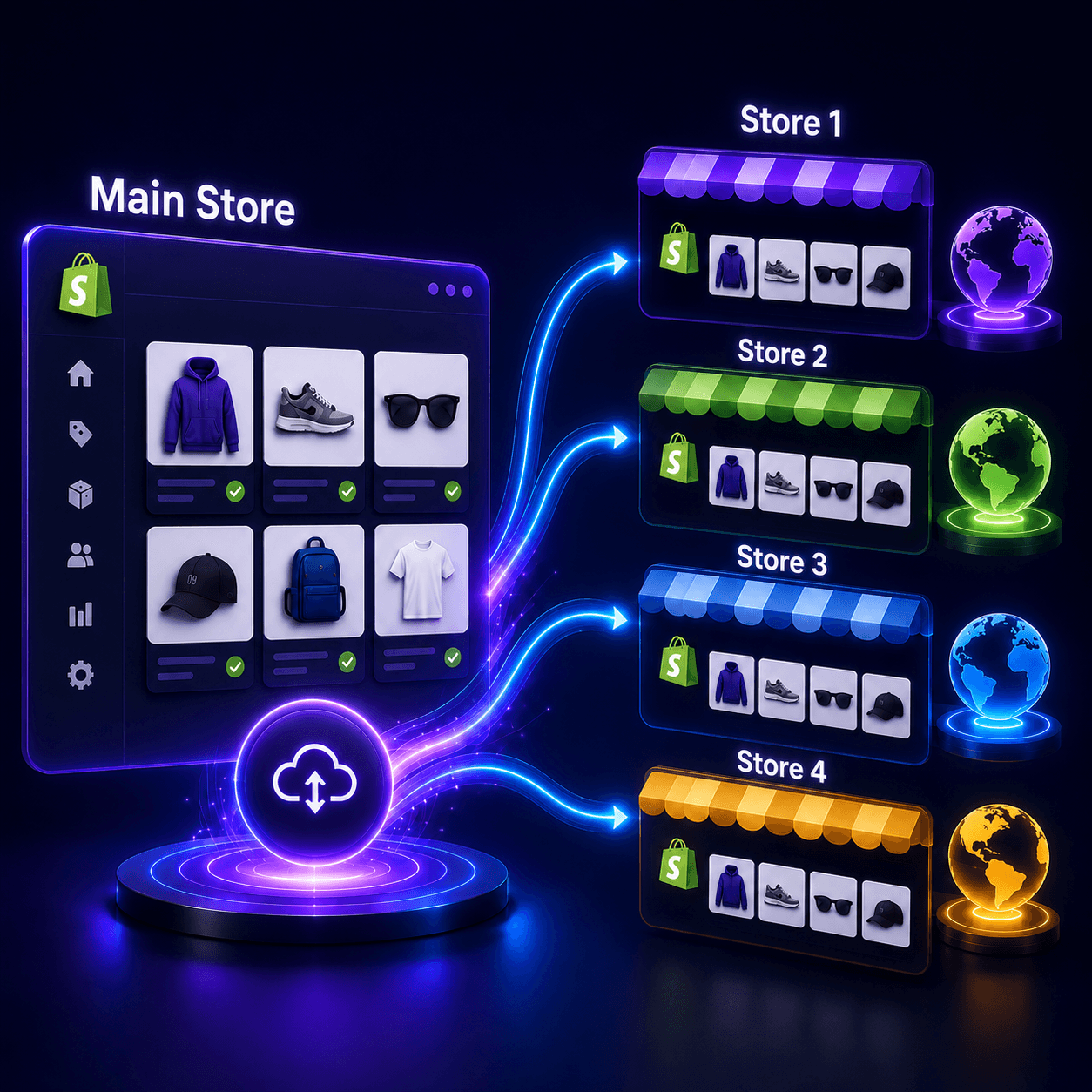
Bulk-sync products, variants, images, and inventory across multiple Shopify stores—ideal for multi-brand, multi-region, and wholesale merchants who need one source of truth without manual exports.

  • One-click-oriented transfers engineered for large catalogs
  • Variants, images, and metadata travel together to prevent drift
  • Built for teams that refresh assortments often across regions
Multi-brand groupsRegional storefrontsB2B + D2C splitsCatalog experimentation
apps.shopify.com
DS Multistore Product Upload app interface showing bulk product transfer between Shopify stores

Move catalogs between Shopify stores with fewer errors than manual exports—built for merchants who scale across brands or regions.

At a glance

  • One-click-oriented transfers engineered for large catalogs
  • Variants, images, and metadata travel together to prevent drift
  • Built for teams that refresh assortments often across regions
Overview

What DS Multistore Product Upload solves

DS Multistore Product Upload is a Shopify app built for operators who manage more than one storefront. Instead of risky CSV gymnastics or duplicate data entry, you move catalog data in controlled batches with guardrails that protect pricing, media, and variant integrity.

Ready to install?

Available on the Shopify App Store—install in minutes and configure from your Shopify admin.

01

Why multi-store merchants outgrow spreadsheets

When you operate parallel Shopify stores, small inconsistencies compound: one storefront updates pricing, another lags on images, and support tickets spike because “the site shows something different.” DS Multistore Product Upload is designed to keep those surfaces aligned when you intentionally want shared assortments.

The app focuses on repeatable transfers—so merchandising and ops can plan rollouts instead of fighting copy-paste errors. That matters most during seasonal launches, regional pack changes, and assortment tests where timing is revenue-critical.


02

What “secure transfer” means in practice

Reliable catalog movement is not only speed—it is traceability. Teams need confidence that variants and media references land correctly, and that you can recover if a vendor feed or theme change introduces unexpected fields.

Digiware builds Shopify apps with production-minded defaults: we prioritize data integrity workflows merchants can audit, and we design for stores that cannot afford downtime during peak selling hours.

Capabilities

Features merchants rely on

Outcomes and capabilities built for production storefronts—not demo-only workflows.

  • 01

    Large-catalog performance patterns for high SKU counts

  • 02

    Structured movement of product relationships (variants & media)

  • 03

    Operational workflows for repeated sync scenarios

  • 04

    Guardrails that reduce partial updates and broken references

  • 05

    Merchant-friendly UX focused on speed and clarity

  • 06

    Built by Digiware Solutions—Shopify app developers with enterprise delivery experience

  • 07

    Ideal companion for teams modernizing multi-channel merchandising

  • 08

    Supports a cleaner handoff between ecommerce and catalog operations teams

Use cases

Who it's for

DS Multistore Product Upload is a strong fit when your team matches one of these storefront workflows.

  • Multi-brand groups
  • Regional storefronts
  • B2B + D2C splits
  • Catalog experimentation
  • Multi-brand & multi-region stores

    Keep product data aligned across storefronts without exporting CSVs or re-entering variants by hand.

  • Seasonal launch teams

    Roll out new collections to sister shops in batches—so every store goes live on schedule.

  • Ops teams leaving spreadsheets behind

    Stop copy-pasting between Shopify admins when catalog updates need to happen in lockstep.

FAQ

Questions before you install

Quick answers for merchants comparing DS Multistore Product Upload on the Shopify App Store.

  • Merchants and operators who maintain multiple Shopify stores and need to copy or align products, variants, and media without spending days in CSV workflows.

  • It is not a full PIM. It is a focused Shopify app for multistore catalog movement—best when Shopify is your commerce system of record and you need dependable transfers between stores.

  • Digiware builds apps with merchant trust in mind. Follow Shopify’s standard app permission model and review the app listing for the latest data practices before install.

More from Digiware

View all apps

Need a custom Shopify app?

We build public App Store apps and private merchant tools—checkout extensions, ERP sync, AI workflows, and fulfillment integrations tailored to your stack.